Your places
Put your days
on the map.
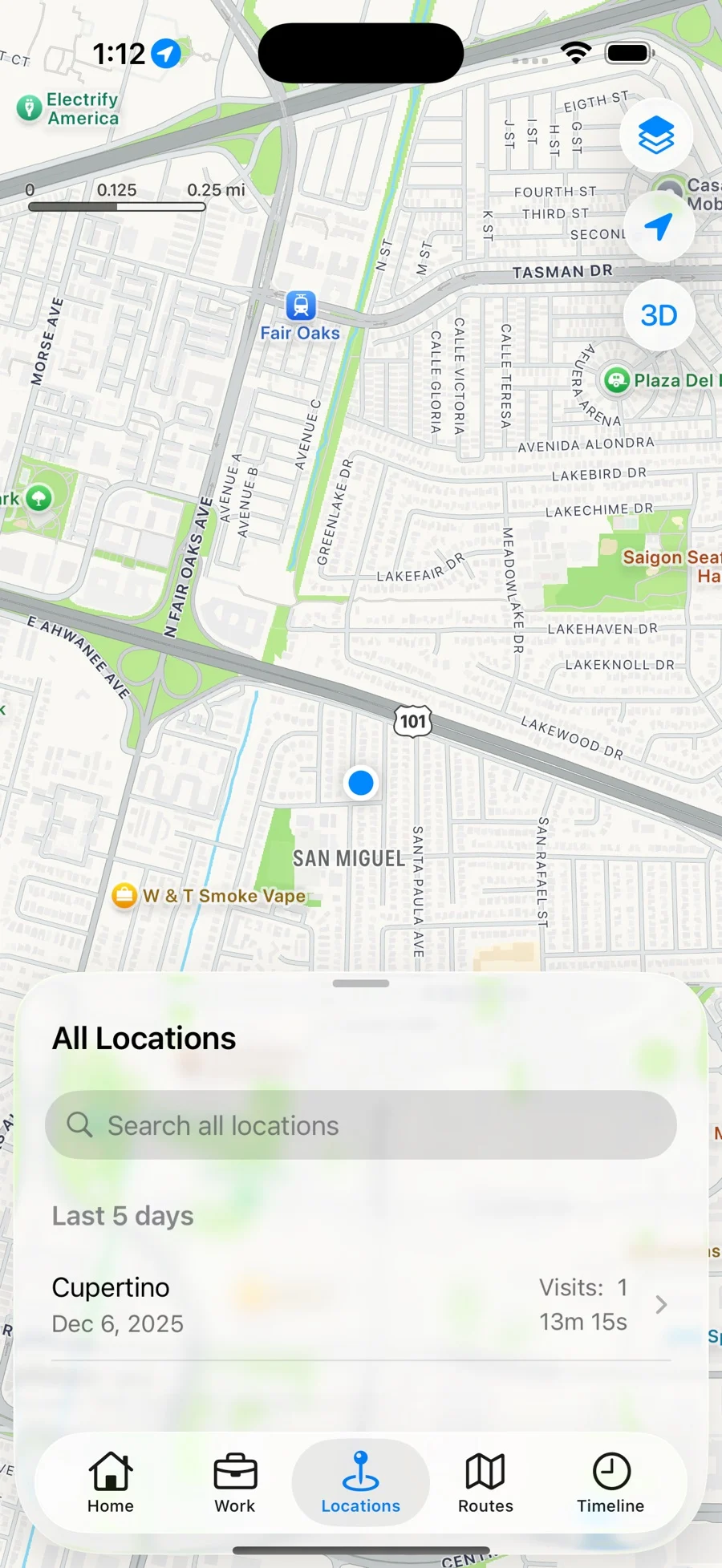
Explore the places you’ve visited and see how often you return.
A little more memory for your iPhone
The places you go. The time you spend. Significant Locations quietly turns your everyday visits into a history you can actually use.
Free to download · iOS 26 or later
A place for every part of your day.
Get on with your day.
Your location history stays yours.
Subscribe for your full history.
A clearer picture of your day
From a day at work to a place worth remembering, find the details without keeping a manual log.
Your places
Explore the places you’ve visited and see how often you return.
Your timeline
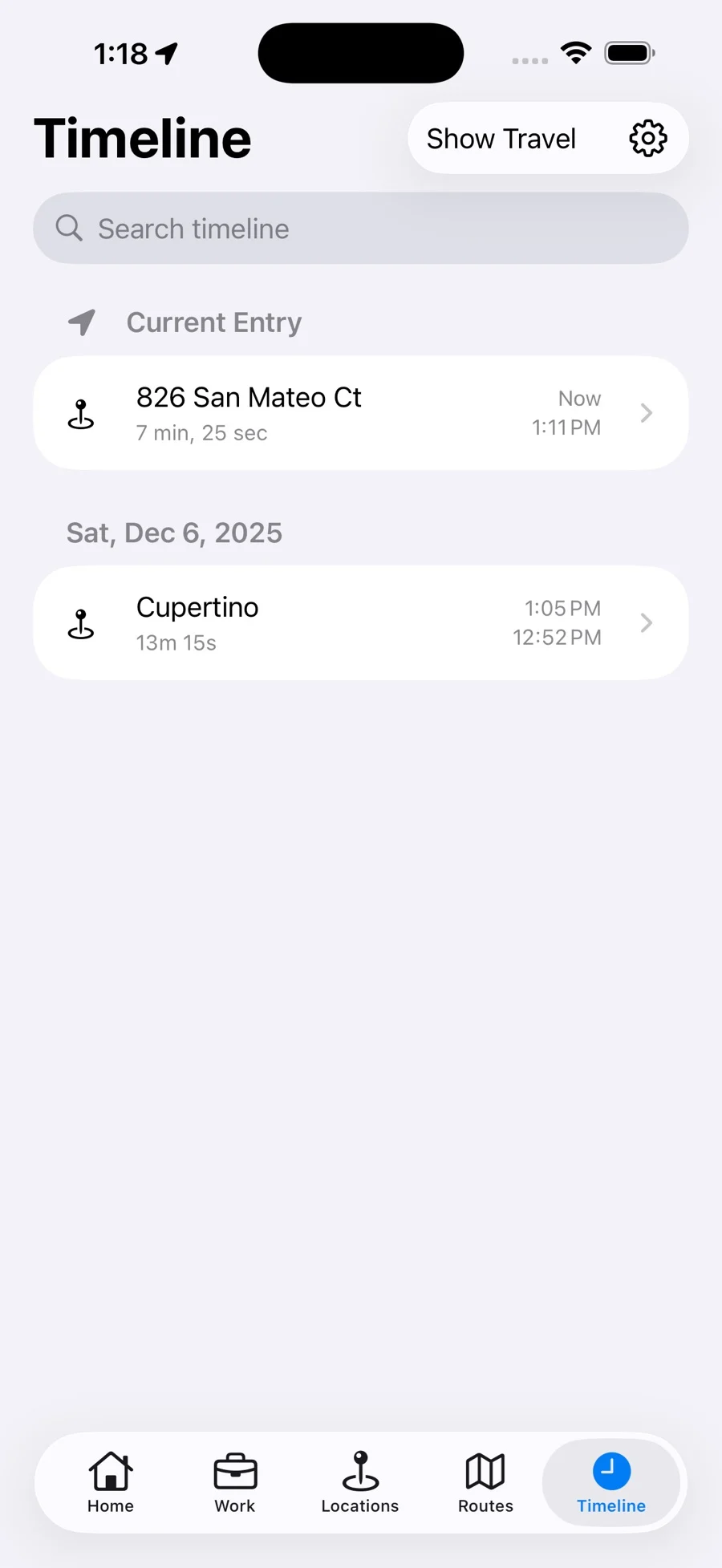
Search your history and look up when you arrived, left, and how long you stayed.
Your time
Create a tab for Work, Home, or another place, then review your time there.
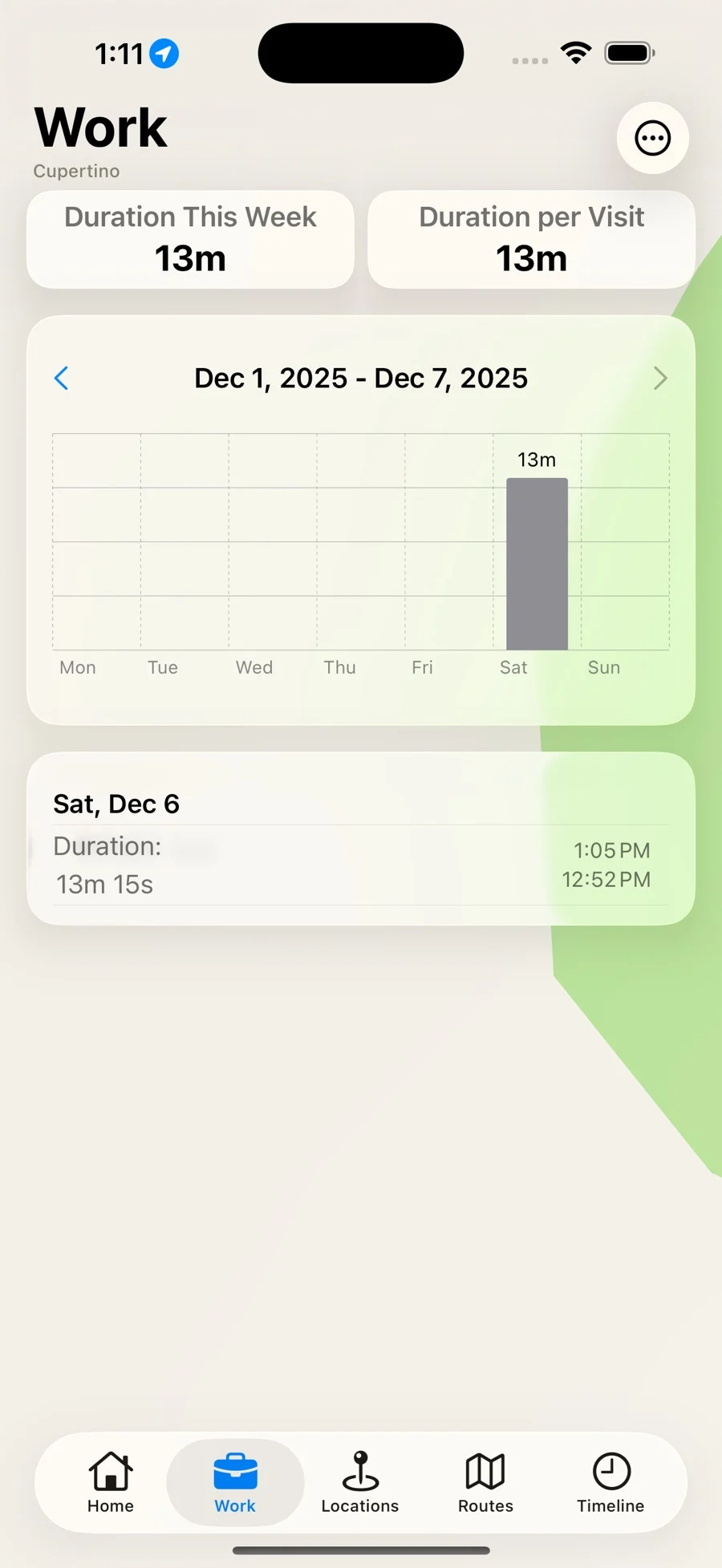
Actual app screenshots. Select one to see the full view.
Home Screen and Lock Screen widgets keep your current place and time spent close at hand.
Uses Apple’s significant-change location service. Update timing depends on iOS and your settings.
Subscribers can export recorded history as CSV or JSON from the Timeline.
LOOK FAMILIAR?
Mar 29 – May 23, 2025
So many records. So little to see.
The reason this app exists
If you’ve tried to open the Significant Locations summary in iPhone Settings, you know the frustration. Here’s what that screen can show, what it can’t, and how to start keeping a useful record of future visits.
Read the Significant Locations guideNo. Significant Locations builds its own history after you install it and grant location access. It cannot open or recover Apple’s private Significant Locations database, including the records counted in Settings.
The app is free to download, with access to the last five days of recorded history. A monthly or annual subscription unlocks older history and export. See the App Store for current pricing in your region.
Your recorded location history is stored locally on your device. We don’t sell your location data. You choose whether to export and share your history. Read our Privacy Policy for more information.
The app uses Apple’s significant-change location service rather than continuous GPS tracking. Background location use can still affect battery life. Low Power Mode and other system conditions can also delay or limit updates.
Times are approximate because iOS decides when to deliver location updates. Some visits may be delayed or missed. Use the history as a helpful reference and review it before using it for a timesheet.
The current version requires an iPhone running iOS 26 or later. Open the app and follow the setup prompts to allow Always location access and enable Precise Location. Your history starts building as you go about your day.

A useful little record of the places that make up your life.

Free to download. Your last five days of history, included.